
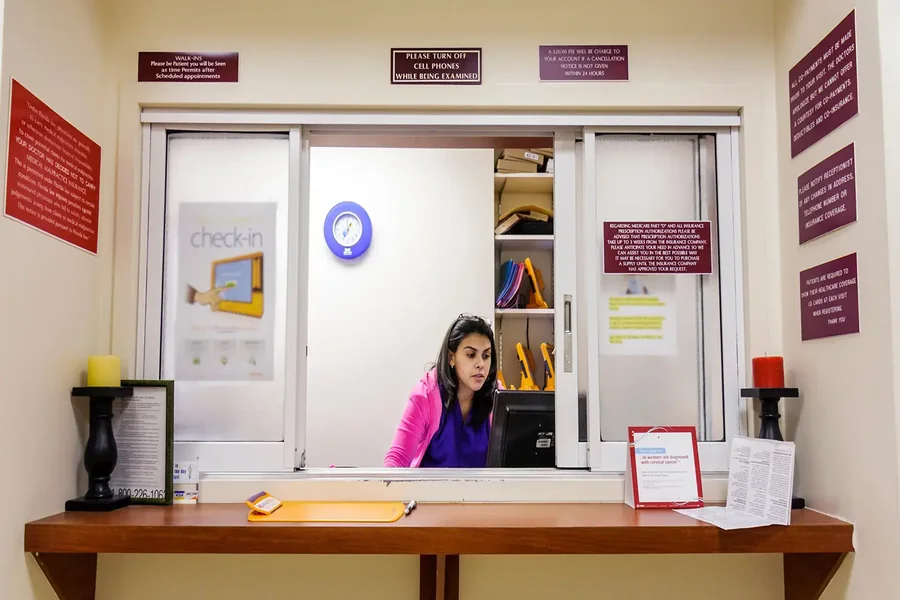
It’s 8:15 on a Monday morning. The scheduling tool shows an open slot, the EHR shows the same patient already checked in from last week’s no-show, and the billing software hasn’t synced with either one. Your receptionist is now the integration layer between three programs that were never built to talk to each other, and the waiting room is already filling up. The phone starts ringing before she’s even resolved the first mismatch.
If that sounds familiar, you’re not running a badly managed front desk. You’re running software that grew by accident, one tool added every time the last one couldn’t keep up.
The Three-System Shuffle Every Small Practice Knows
Most independent clinics don’t choose their software stack. They inherit it. A scheduling app gets picked because it’s cheap. An EHR gets picked because a vendor’s rep showed up at the right time. Billing runs through whatever the practice manager used at their last job. None of it was designed as one system, so none of it behaves like one.
The cost shows up in places nobody budgets for. Physicians spend an average of 2.7 hours a day inside the EHR, much of it “pajama time” logged after normal hours, and a separate look at primary care visits at Mass General and Brigham and Women’s found that a routine 30-minute appointment generates 36.2 minutes of EHR-related work. The American Medical Association has linked this kind of administrative overload directly to the burnout epidemic that affects nearly half of U.S. physicians. None of that is a documentation problem. It’s a systems problem wearing a documentation costume.
Front desk staff feel it first, in ways that show up every single day:
- A patient’s insurance gets updated in the scheduling tool but never makes it to billing, so the claim goes out with stale information and bounces back three weeks later.
- A provider blocks off a slot for a procedure in the EHR, but the online booking widget still shows it as open, so two patients think they have the same 2 p.m. appointment.
- A reminder call goes out for an appointment the patient already rescheduled online, because the scheduling tool and the call system don’t share a calendar.
- A patient gets billed for a copay they already paid at check-in, because the front desk system never told billing it happened.
Staff spend their mornings re-entering the same information into three separate screens and their afternoons catching the errors that happen when those screens fall out of sync. Turnover follows close behind. Training a new hire on one system is manageable. Training them on three that don’t share data, and don’t agree with each other, is a different job entirely.
None of this is catastrophic on its own, but it chips away at trust in a way that’s hard to win back with a good bedside manner alone. A practice can have excellent providers and still lose patients over an experience that feels chaotic before anyone even sees a doctor.
What Fixing It Actually Looks Like
The instinct is to patch the weakest link: swap out the scheduling tool, add a plugin, hire someone to manually reconcile billing at the end of each week. That buys a few months, not a solution. The real fix is software built around how your specific practice actually runs, not a generic template with your logo slapped on top.
This is where working with a healthcare software development company changes the conversation. Instead of forcing your intake process to match a vendor’s assumptions about a “typical” clinic, a custom build starts with your actual workflow: how patients book, what your billing cycle looks like, which fields your staff actually use versus the ones they’ve learned to skip past. Scheduling, check-in, clinical notes, and billing end up reading from the same source of truth, so a change made in one place doesn’t create a mismatch somewhere else three screens later.
It also means the software can grow with the practice instead of getting replaced every time you add a provider or open a second location. A three-provider practice and a fifteen-provider practice don’t need the same tool wearing different pricing tiers. They need software that was actually scoped for what they’re doing, whether that’s a single front desk or three locations sharing one patient roster.
What This Actually Costs to Ignore
It’s easy to treat this as a productivity annoyance rather than a real line item, but the math says otherwise. Industry benchmarking on claims denial management puts the administrative cost of reworking a single denied claim somewhere between $25 and $181, depending on complexity, and that figure only covers staff time spent researching, resubmitting, and following up. A practice generating even 50 denials a month from mismatched or stale data between systems is looking at over a thousand dollars a month in pure rework, before accounting for the delayed reimbursement itself.
Then there’s the staffing side. Replacing a front-desk hire costs more than the job posting suggests once you count recruiting time, onboarding, and the weeks a new employee spends making the same sync-related mistakes their predecessor eventually learned to avoid. A system that hides its own failure points doesn’t just frustrate the person using it; it actively trains new hires to distrust the software, which shows up later as workarounds, sticky notes, and shadow spreadsheets nobody officially approved.
There’s a reputational cost too, and it’s harder to put a number on but no less real. A patient who gets a confusing bill or a scheduling mix-up doesn’t usually complain to the practice; they just leave a review, or quietly switch to a competitor down the road, or tell a friend to book somewhere else. New patient acquisition in a small practice runs almost entirely on referrals and local reputation, so a handful of bad front-desk experiences a month can undo months of marketing spend without anyone connecting the two.
Getting a Skeptical Front Desk on Board
None of this matters if the team resists it, and staff who’ve been burned by “the new system” before have every right to be skeptical. The practices that make a switch stick do a few things consistently:
- Involve the front desk in the build, not just the rollout. The people re-entering the same data three times a day know exactly where the current setup breaks, and that input shapes a better system than any vendor demo could.
- Run a real overlap period, not a hard cutover. Two to three weeks where staff use the new system for live patients but still have the old one open as a safety net gives everyone room to catch mistakes before they reach a patient.
- Pick one champion on staff. Someone who learns the new workflow first and can answer the small “wait, how do I…” questions that would otherwise land on IT.
- Start with the single workflow that hurts the most, instead of trying to fix everything on day one. If insurance verification is the recurring headache, solve and prove out that piece first, even if scheduling and billing catch up a few weeks later.
A team that sees one real problem solved quickly trusts the next change a lot more than a team handed an entirely new system all at once. Research on EHR usability and burnout backs this up: task load and burnout climb together when staff feel like the software is working against them rather than for them. A system that fits how the practice actually operates, introduced with real input from the people using it daily, reverses that pattern instead of adding to it.
Where to Start
You don’t need a six-month evaluation process to know whether your current setup is the problem. Pull one week of front-desk time logs and count how many minutes get spent re-entering the same information across systems. If it’s more than an hour a day, that’s not a training gap. That’s the cost of software that was never built to work together.
Start the conversation with whoever handles your systems by asking one question: what would it take to get scheduling, records, and billing reading from the same data? The answer will tell you fast whether you’re looking at a patch or a real fix.