
Likes, comments and shares are great, but do they actually tell you how many people visited your website because of a social media post? Not really. Social media analytics can show you how many people clicked a link, but they don’t tell you what those visitors did after arriving on your website. Maybe they browsed through your website or made a purchase. To understand the complete customer journey, you need to track website traffic beyond a customer’s first click. That is where UTM parameters come in.
1. What are UTM parameters and how do they work?
UTM (Urchin Tracking Module) parameters are short tags added to the end of a URL. They help analytics tools, such as Google Analytics, identify where website visitors came from and which marketing campaigns brought them there.
There are five standard UTM parameters:
- utm_source: Identifies the platform sending traffic, such as Facebook or Instagram.
- utm_medium: Identifies the marketing channel, such as social, email or paid advertising.
- utm_campaign: Identifies the specific campaign, such as spring_sale or product_launch.
- utm_term: Identifies paid search keywords or other relevant targeting terms.
- utm_content: Distinguishes between different links or creative variations within the same campaign.
As an example, imagine you’re promoting a spring sale on Facebook. Your tagged URL might look like this:
yoursite.com/sale?utm_source=facebook&utm_medium=social&utm_campaign=spring_sale
When someone clicks this link, Google Analytics can use the tags to identify Facebook as the source, social as the medium and spring_sale as the campaign.
Keep the following in mind to keep your tracking accurate:
- Use lowercase consistently. Google Analytics treats ‘Facebook’ and ‘facebook’ as different values, which can split your reporting.
- Use UTMs on external links only. Avoid adding them to internal website links because they can overwrite the original traffic-source information.
- Don’t worry about SEO. UTM parameters are tracking tags – they don’t directly improve or harm your search rankings.
2. Build trackable links with a UTM builder
Creating tagged URLs manually can be tedious and a UTM builder makes the process much simpler. PosterMyWall’s free UTM builder is useful for creating tracked links without having to remember the correct URL structure. Here’s how to use it:
- Paste your website URL: Start by entering the page you want visitors to land on, such as your spring sale page.
- Fill in the tracking details: Add your source, medium and campaign name.
- Copy your tracked link: The tool automatically inserts the question mark and ampersands in the correct places, reducing manual formatting errors.
Pro-tip: create separate tracking links for each social platform – use facebook as the source for Facebook posts and instagram for Instagram posts, while keeping the campaign name consistent. You can also use utm_content to A/B test different creatives, meaning, if you’re publishing two versions of the same promotional post, label one blue_design and the other red_design and that way you will be able to compare which version generated more website visits.
3. Connect link tracking to your social media workflow
Tracking should fit naturally into the content creation and publishing process. You can use PosterMyWall for a practical workflow, like this:
- Design your social post: Choose a template from PosterMyWall’s gallery and customize it for your campaign.
- Create your tracked link: Use the UTM builder to generate a unique URL for each platform.
- Schedule your content: Use PosterMyWall’s social media scheduling to schedule posts across your social channels.
- Track offline promotions too: Turn your tagged URL into a QR code and add it to printed flyers, posters or promotional materials which will help you identify website visits generated by offline campaigns as well.
4. Read results with Google Analytics
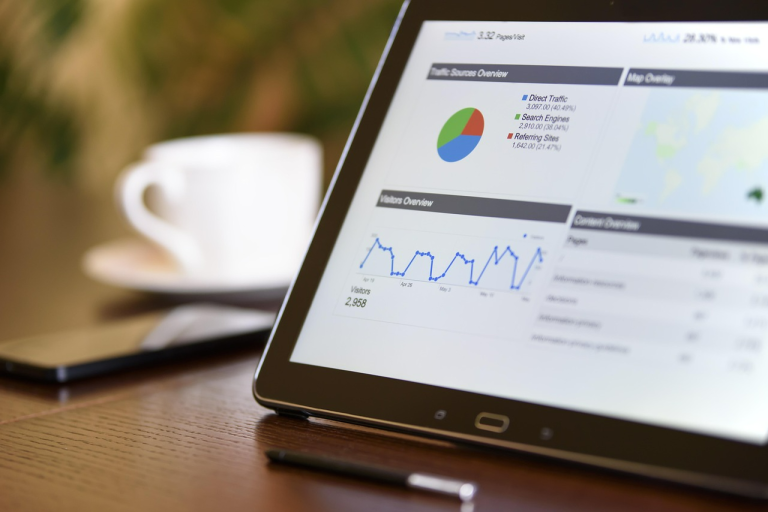
Creating tracked links is only half the job because you need to understand the data to benefit from the tracked links. Once visitors start clicking your tagged links, open Google Analytics and navigate to Reports → Acquisition → Traffic acquisition. You can examine traffic using dimensions such as Session source, Session medium and Session campaign and identify which platforms and campaigns brought visitors to your website.
Also, analyze engagement rate, average engagement time, key events and revenue – these metrics help you understand whether visitors simply landed on your website or actually engaged with your content and completed meaningful actions. Maybe an Instagram campaign might generate more visits while a Facebook campaign brings fewer visitors who spend more time browsing and make more purchases. This distinction can help you decide where to focus your marketing efforts.
Frequently Asked Questions (FAQs)
1. What are UTM parameters used for?
UTM parameters help identify the source, medium and campaign responsible for bringing visitors to your website, making it easier to measure marketing performance.
2. Can I track Instagram and Facebook traffic separately?
Yes. Assign each platform a different utm_source value, such as instagram or facebook. Google Analytics will then distinguish between the two sources.
3. Is there a free UTM builder for social media links?
Yes. PosterMyWall offers a free UTM builder that lets you create tracked URLs by entering your destination page and campaign details.