Solar generator standby power loss occurs when a power station consumes electricity even though connected devices are inactive or drawing very little power. This hidden energy consumption can gradually drain the battery, reducing available runtime during camping trips, power outages, or off-grid use. Features such as active inverters, illuminated displays, and wireless connectivity may contribute to standby losses. Fortunately, adjusting output settings, disconnecting unused devices, and monitoring battery performance can help conserve stored energy. Understanding these practical methods allows you to extend runtime and use your generator more efficiently.
What Causes Standby Power Loss in Solar Generators?
Standby power loss results from internal electronic components that continue operating while a generator remains switched on. AC inverters consume electricity to maintain output voltage, even when no appliances are connected. Battery management systems, displays, cooling controls, and wireless communication features may also require small amounts of energy. Connected chargers and appliances can create additional parasitic loads while appearing inactive. Although individual losses may seem minor, continuous consumption adds up over time. Identifying which functions remain active during standby helps you reduce unnecessary battery drain without compromising essential power availability.
How to Reduce Solar Generator Standby Power Consumption
Turn Off Unused AC and DC Outputs to Save Energy
Switch off unused AC and DC outputs whenever connected equipment no longer requires electricity. AC inverters can consume power simply by remaining active, making unnecessary AC output one of the main sources of standby losses. Use the generator's dedicated output buttons or supported mobile application to disable inactive ports. If you only need USB charging, leave AC outlets switched off. Before storing the unit, disconnect all devices and follow the manufacturer's shutdown procedure to minimize unnecessary battery consumption.
Enable Eco Mode and Automatic Shutdown Settings
Many solar generators include Eco Mode or power-saving settings that automatically disable outputs when connected loads fall below a specified threshold. Enable these features to reduce unnecessary electricity consumption during periods of inactivity. Check whether your generator allows adjustments to shutdown timers or minimum load detection levels. Select settings that match your equipment's operating requirements. Avoid aggressive automatic shutdown settings when powering refrigerators, medical equipment, or other devices with intermittent or low power demands, as they could interrupt essential operation.
Disconnect Idle Devices and Use Efficient Charging Ports
Unplug devices that no longer need charging, including smartphones, laptops, adapters, and portable electronics. Some chargers continue drawing small amounts of electricity even after their connected batteries reach full capacity. Where supported, use direct USB-C charging instead of AC adapters to avoid additional inverter conversion losses. Check that charging ports provide the voltage and wattage required by your devices. Disconnect unused accessories and turn off inactive ports to prevent hidden energy consumption from gradually reducing your generator's available battery capacity.
How to Improve Solar Generator Battery Efficiency Over Time
Monitor Standby Power Draw and Track Battery Usage
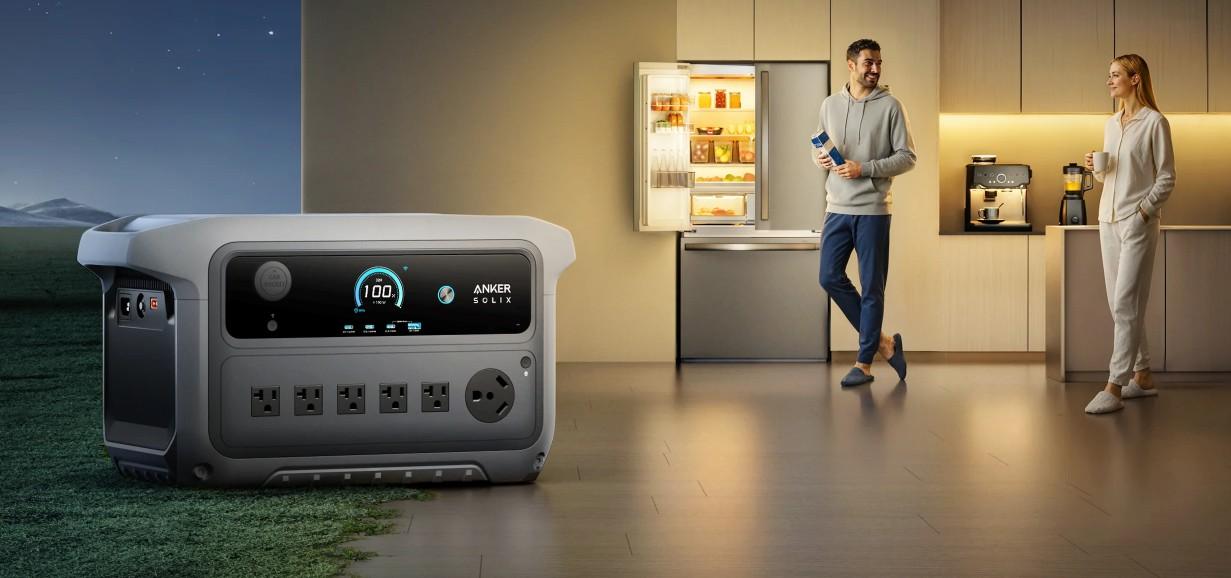
Monitoring standby consumption helps identify energy losses that might otherwise go unnoticed. Check your generator's input and output readings while connected devices are inactive, then compare battery levels over several hours. The Anker SOLIX C2000 Gen 2 is designed for low standby consumption, with a stated idle power draw of just 9W under specified test conditions. At that rate, continuous operation would consume approximately 216Wh over 24 hours. Understanding idle consumption helps you plan energy reserves and manage battery runtime more effectively.
Maintain Proper Battery Charge Levels During Storage
Proper battery maintenance helps preserve capacity during periods when your solar generator remains unused. Before storage, check the manufacturer's recommended battery charge level and shutdown procedure. Avoid leaving the battery deeply discharged, as continued self-discharge may eventually reduce it below a safe operating threshold. Store the unit in a cool, dry environment away from excessive heat and moisture. Inspect battery levels at manufacturer-recommended intervals and recharge when necessary. Maintaining appropriate storage conditions reduces unnecessary battery stress and supports reliable performance when you need power again.
Update Firmware and Follow Recommended Power Management Settings
Firmware updates may improve power management behavior, correct software issues, and provide additional control over supported generator functions. Check the manufacturer's official application or support website for updates compatible with your model. Follow installation instructions carefully and maintain sufficient battery charge throughout the update process. Review available settings for automatic shutdown, output timers, display brightness, and wireless connectivity. Disable unnecessary functions where supported, but preserve settings required for essential equipment. Regularly reviewing these controls helps maintain efficient operation and prevent avoidable standby consumption.
Conclusion
Reducing standby power loss helps your solar generator deliver more usable electricity and maintain longer battery runtime. Start by switching off unused AC and DC outputs, disconnecting idle devices, and enabling appropriate power-saving features. Monitor battery consumption to identify hidden energy losses and adjust settings according to your equipment's requirements. Proper storage, regular charging checks, and firmware maintenance also support long-term efficiency. By combining these simple habits with an understanding of your generator's idle consumption, you can conserve stored energy, minimize unnecessary battery drain, and maintain more dependable backup power.